Restore and undo
Put back exactly what went wrong, and nothing else.
Undo a change
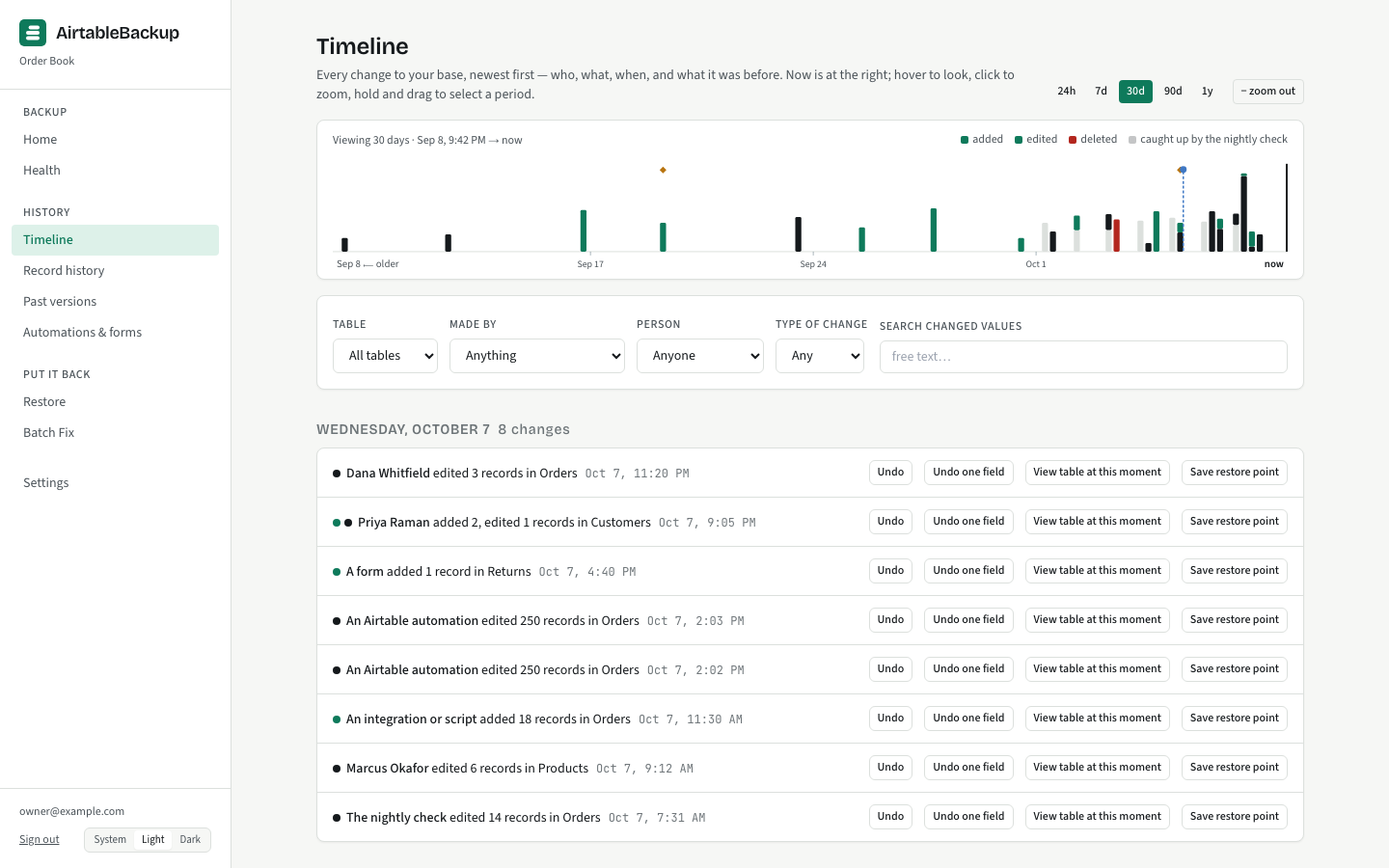
One row on the Timeline, one Undo
Every change in the history is a sentence with a name on it: “Dana edited Status on 3 records”. Each one offers Undo, Undo one field, View table at this moment, and Save restore point. Undo puts the before-values back for exactly the cells that change touched. If someone edited one of those cells since, the preview says so and the newer edit is kept unless you choose otherwise.
Record history finds one record by name or by its pasted Airtable link and lists everything that ever happened to it, so “what did this look like last month?” is a scroll, not a search.
Restore to a moment
A table or a record as it was at any time
Pick a table and a moment: a date and time on the clock, or a restore point you saved before a risky change. The console shows the table as it was then, rebuilt from the nightly backup and the changes since, usually in under three seconds, and can download it as CSV.
Restoring it goes into a new table beside the original by default, named like “Jobs (restored 2026-09-30 14:05 UTC)”, with every field the table had at that moment, deleted fields included, and an “Original record ID” column tying each row back. Ordinary fields keep their type and options; calculated fields come back as plain fields of their result type; links come back as the linked records’ names, because a real link field would add an inverse field to the live table. Writing over the live table is one click away and is an explicit choice, and even then newer edits are kept by default, field by field.
Batch Fix
The runaway-automation day
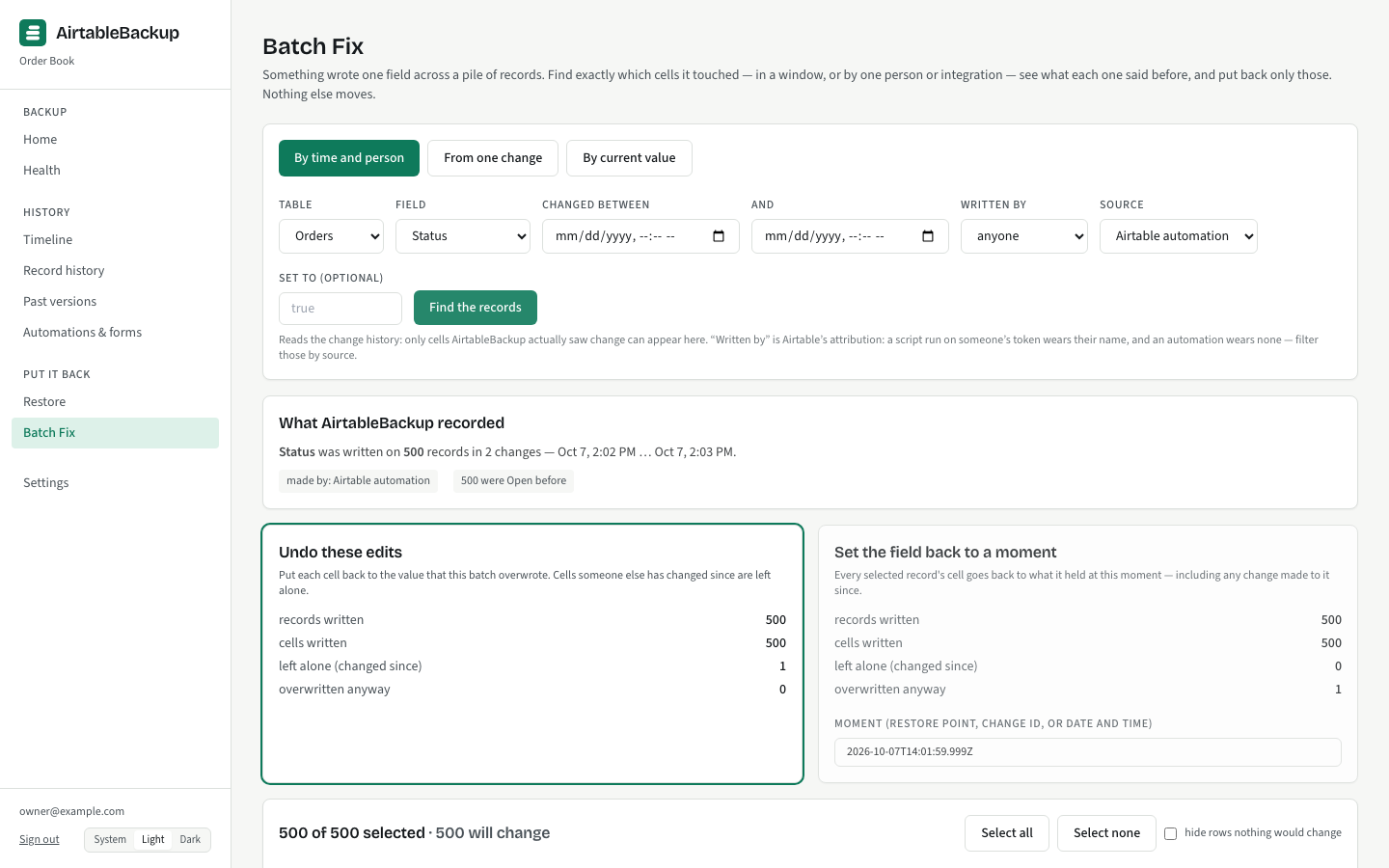
A script runs with the wrong condition and sets Status on 600 records. An import maps the wrong column. A person drags a fill handle one row too far. The damage is one field across many records, mixed in with real edits made the same afternoon.
Batch Fix reads the change history to find exactly those writes: by time window, by the change that made them, by the live value, or by who did it, so “everything that script changed between 14:00 and 14:10” is a filter, not a spreadsheet exercise. The plan lists every record whose cell will be put back and every one left alone because a person edited it after the script did. The live run in the test suite: 600 candidates, 500 flagged by a script, 60 flagged before it ran, two later human edits, exactly 60 flagged after the fix.
Batch Fix always writes to the live table, because fixing cells in place is its whole point; it is checkpointed and undoable like every other restore.
Rebuild a base
A whole base into a new base
When a base is gone, or you want a copy of it as it stood on a date, the rebuild creates a new base in a workspace you choose and fills it from the backup. What is recreated:
- Every table and every field, in dependency order: plain fields first, then links, then calculated fields once what they read exists.
- Formula, lookup, rollup and count fields, and the created-time and last-modified stamps, created through Airtable’s API.
- Every record, in two passes: fields, then the link graph, so links point at the new records.
- Attachments, re-uploaded from the backup.
- Comments, re-posted quoted with their author and date.
A live run rebuilt 7 tables and 1,862 records and re-linked 1,815 of them. An old-to-new id map is written out so integrations can be repointed.
What needs finishing by hand
Airtable’s API cannot do everything, and the rebuild lists what it could not, field by field, rather than guessing:
- A formula’s display format (precision, currency symbol): the API refuses to set it. Only the formats that came out different are listed.
- A rollup’s summary formula: Airtable never returns it. It is worked out from the data where that is certain, otherwise the field is created as a join of values and listed.
- Button, AI and sync fields.
- A calculated primary field keeps its values as text, with its formula written out.
- Automations are shown for a person to recreate; the API makes them only as drafts and refuses script actions. Forms cannot be written back. Views and interface layouts are not backed up, so they are not rebuilt.
The contract
Every restore, the same way
1
Plan
A read-only pass works out the exact diff: creates, overwrites, deletes, conflicts, and records marked as deliberately deleted, which are left out unless you say otherwise.
2
Preview
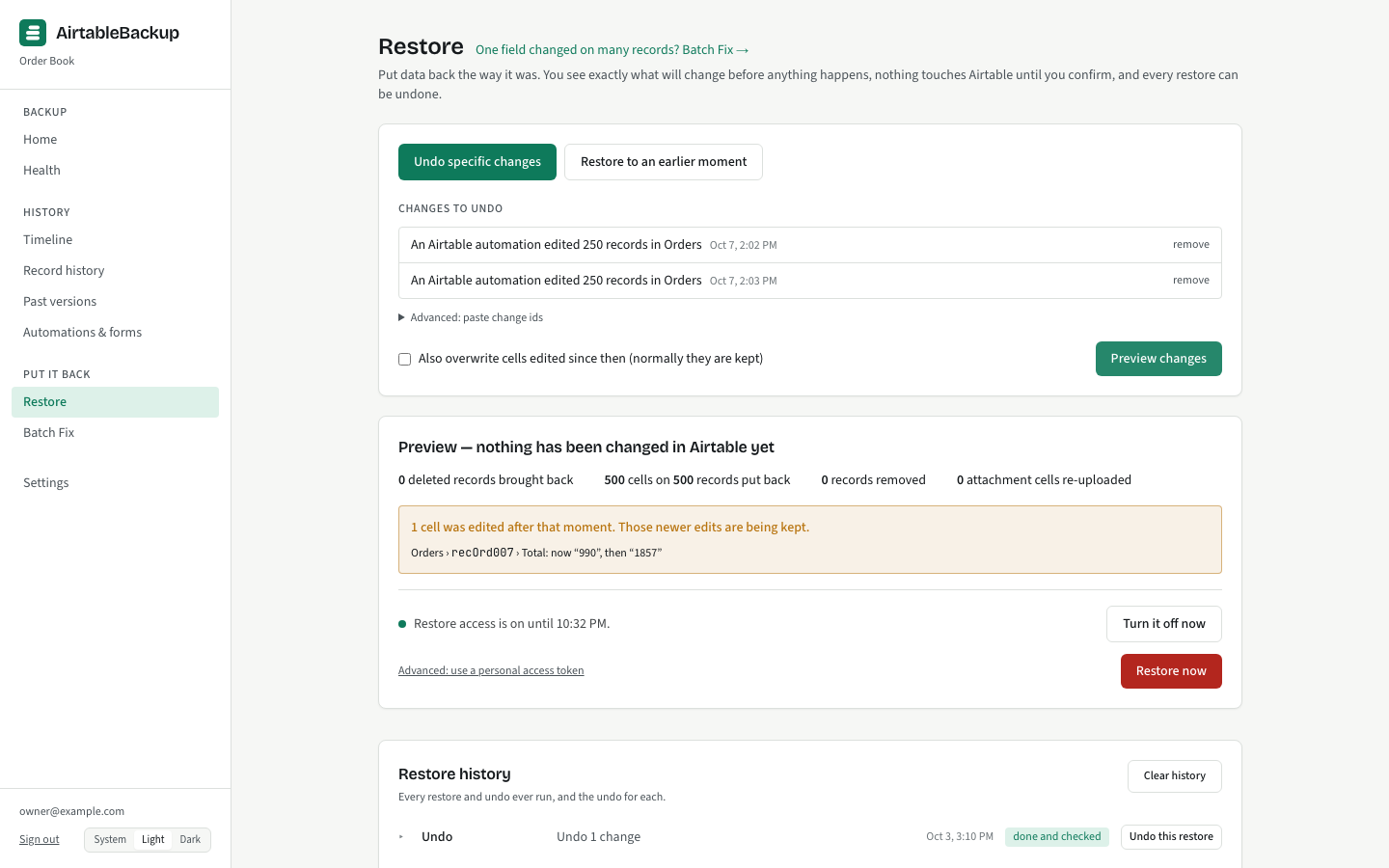
The plan is shown in sentences before anything is written: "3 records will be put back", "1 cell was edited after that moment, newer edits are being kept".
3
Your sign-in
Nothing writes to Airtable without your own Airtable consent. A restore asks you to sign in with Airtable; the write access lasts at most an hour and is never stored.
4
Checkpoint
The live state of everything about to be touched is read from Airtable and saved first. The checkpoint is the undo.
5
Apply and verify
Writes go at the speed Airtable allows, in batches, with progress and pause. Then a sample is read back, counts and links are checked, and the result says "Restored and checked against Airtable".
6
Undo
Every restore appears in Restore history with an Undo. Undo writes back only the cells the restore touched, so edits made after it survive, and the undo is itself a logged, undoable restore.
The nightly restore test
A backup nobody restores is a hope
Turn the test on under Settings and name a scratch workspace that holds nothing you need. Each night, after the nightly backup, 25 records of one table in rotation are rebuilt from the backup and written through the same code a real restore uses into a test base in that workspace, then read back. Every typed-in cell must match, attachments by filename, and so must every formula that reads only its own table and not the clock, which tests the formula rebuild too. Links and people fields are not compared, and the result says so.
A pass is a line on Health: “Restore test passed: 25 Jobs records restored and checked”. A failure turns Home to Watch and sends an alert. The test base is made once and reused, because Airtable’s API cannot delete a base; last night’s rows are removed before each run.
The test is opt-in. It writes to your Airtable every night it is on, under a consent you give once, so Health says “Restore test: not enabled” until you turn it on, and “Turn off” removes that consent at once.
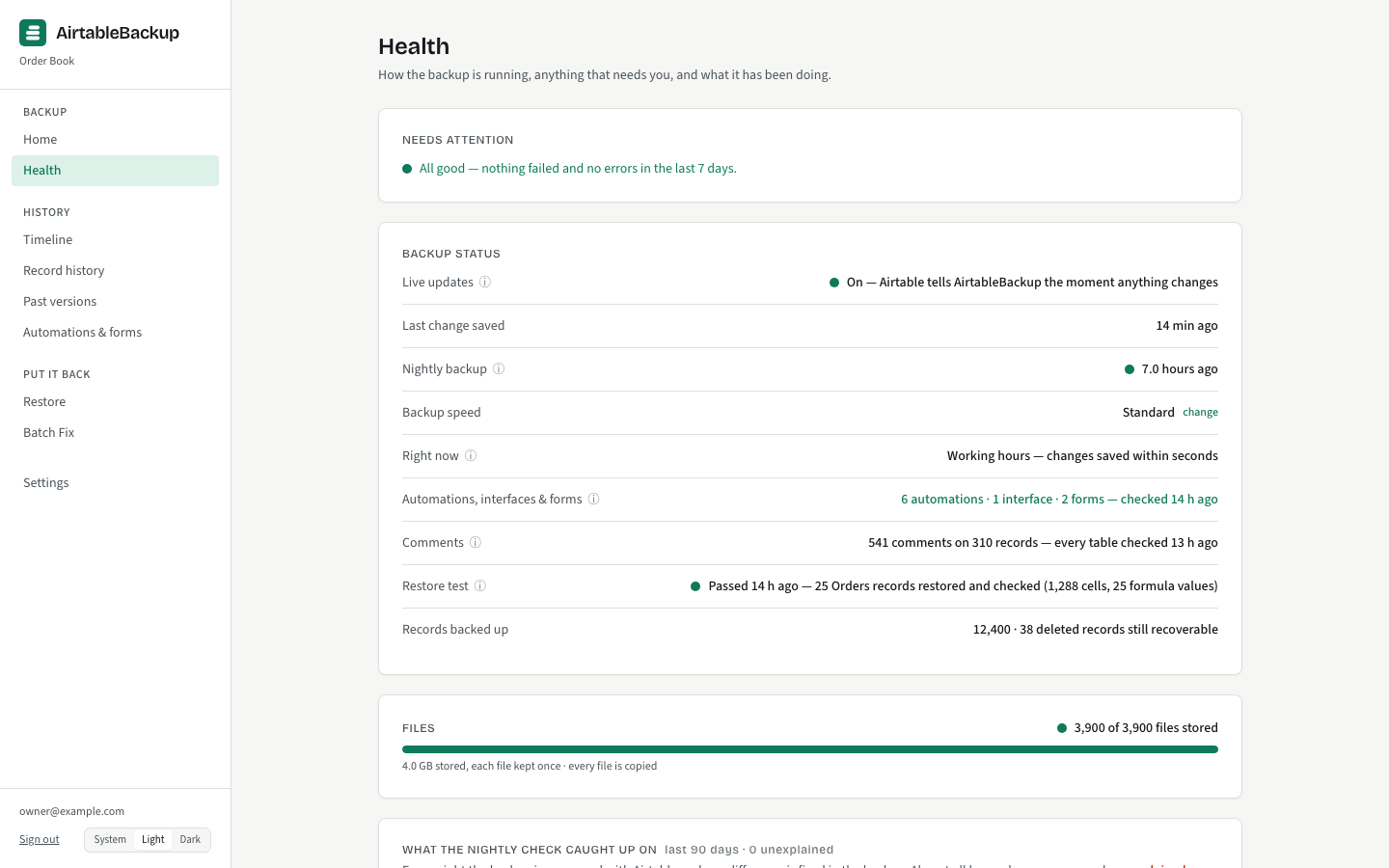
How the backup itself works: live updates, the nightly check, backup speed →