What's backed up
Everything Airtable's API can show, listed row by row, and three things it cannot.
Airtable’s API as of October 2026.
| Item | Status | What is kept | How |
|---|---|---|---|
| Records and field values | Backed up | Every record, every field, every change to either, with the before and after values. | Airtable tells the service about each change as it happens (a webhook with previous cell values); the change is saved by field id, so a renamed field keeps its history. |
| Who changed what | Backed up | The person, automation, form, synced table, integration or shared link that made each change, and when. | Taken from the same change notification; a person's name comes from Airtable's collaborator record, so the history reads "Dana edited Status". |
| Attachments | Backed up | Every file in every attachment field, in every version it has had. | Downloaded when it first appears and stored once by its content (SHA-256): a file attached to a thousand records is kept one time. Restores re-upload it to Airtable from the backup. |
| Record comments | Backed up | Every comment on every record, on every table. | Read nightly through the comments API. The comments permission is required at connection; without it the backup says so rather than quietly skipping them. |
| Schema | Backed up | Tables, fields, field types and options (formulas, select choices, link targets), and every change to them. | Field and table changes arrive with the live updates; the full schema is saved with every nightly backup. |
| Automations, including script source | Backed up | Each automation's trigger, actions and settings, and the source code of every script action, as versions. | Read nightly through Airtable's MCP server (available since July 2026); a new version is saved only when something changed, and a change ("script edited", "turned off", "removed") is named in the activity list. Automations are shown for a person to recreate; Airtable's API can create them only as drafts and refuses script actions. |
| Forms | Backed up | Each form's sections, fields, required fields and visibility rules. | Read nightly through the same server, versioned on change. Forms cannot be written back through the API; the saved definition is there to rebuild one by hand. |
| Interface pages | Partly | Every interface and the list of its pages (names, types), as versions. | Read nightly; the page metadata is saved and a change is reported. The layout of a page — the arrangement of elements on it — is not available from any official surface and is not backed up. |
| Views | Not backed up | View names and types are saved with the schema. View configuration is not backed up: filters, sorts, grouping, colouring, field order and hidden fields. | Airtable's API does not expose view configuration. Views are not backed up. Airtable's own snapshots are the only copy that includes them. |
| Interface layouts | Not backed up | The arrangement of elements on an interface page. | Interface layouts are not backed up; no official surface reads them. The page list and metadata above is what exists. |
| Airtable's own revision history | Not backed up | The per-record revision history Airtable shows in its own sidebar. | Not readable through the API, so not copied. The change history the service keeps starts the day a base is connected and is its own record, with the same who-what-when, going forward. |
Automations
The part every backup tool used to say was impossible
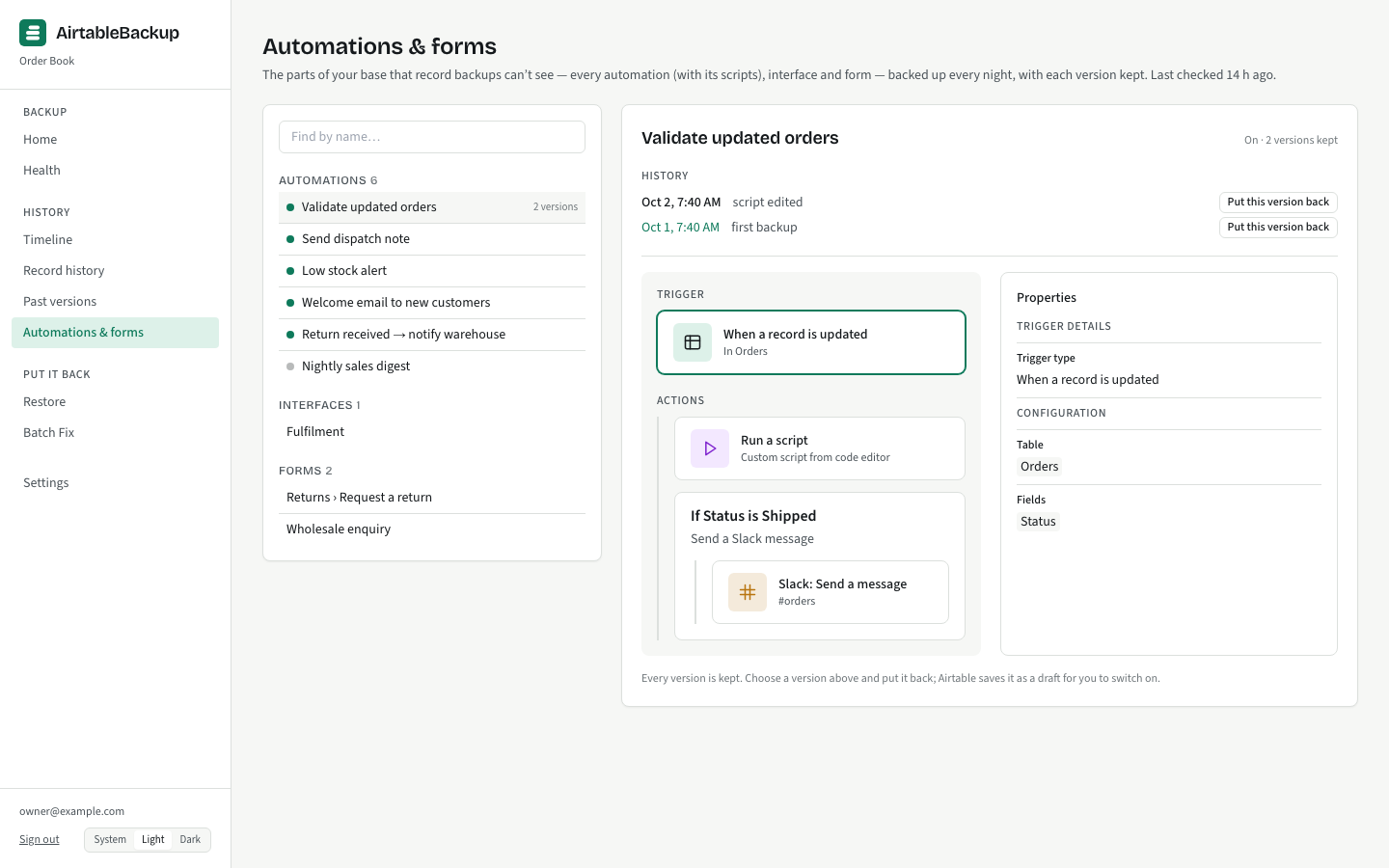
Until July 2026 no backup product could read an automation, because Airtable’s REST API does not expose them. Airtable’s MCP server, shipped that month, does: an automation’s full configuration including the source of its script actions, every interface and its pages, and each form’s definition. AirtableBackup reads them all every night, saves a new version only when the content changed, and names the change in your activity list: “script edited”, “turned off”, “trigger changed”, “removed”. Turning an automation off or removing anything is a warning.
Putting an automation back is still a person’s job: Airtable creates automations from outside the app only as drafts and refuses script actions. The console shows the saved configuration and the script, laid out like Airtable’s own editor, so recreating one is copying, not remembering.
The gaps, in full
What to pair this with
Keep Airtable’s own snapshots on. They are the only copy that includes views and interface layouts, and restoring one as a new base is the right move when a whole base has to come back with its interfaces exactly as they were. AirtableBackup is the copy that lives outside Airtable, keeps every change with a name on it, restores something smaller than a whole base, and can be tested every night.